-
Type:
Bug
-
Status: Closed (View Workflow)
-
Priority:
 Minor
Minor
-
Resolution: Won't Fix
-
Affects Version/s: 1.7 Larks
-
Fix Version/s: 1.7 Larks
-
Labels:None
-
Environment:
Mozilla Firefox 21.0
-
Sprint:1.7 Larks
SR:
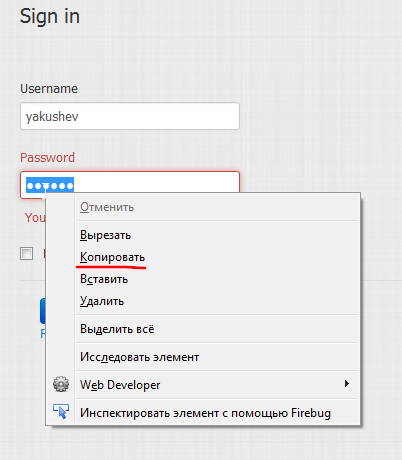
1. Open in Firefox jcommune login page or click "sign in" buttom in the top right corner of the jcommune home page.
2. Fill in "Username" and "Password" fields.
3. Select bullets in "password field" and right-click.
AR: "copy" is enabled.
ER: "copy" is disabled.